




Your favorites
A favorites bar is available on the left side of the screen with your personal access. There you can store individual images and entire image collections (see 1.) and access them directly. Icons and headings show you what you have stored.
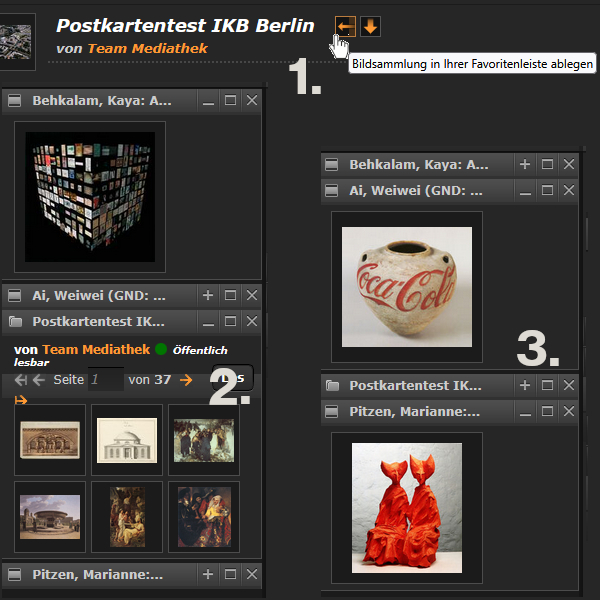
You can expand and collapse these favorites in the form of boxes (see 2. and 3.), change their order, and delete them. When you delete them, you are only deleting the link to this sidebar. The images and image collections remain in their original locations.
In future, you will no longer find your favorites on the left-hand side, but in the top bar next to the search function, image collections and your database:

