Blog
+ 6 Collections of the Rhenish Picture Archive held at the Historical Archive
With 5.16 million photographs, the Rheinisch Picture Archive (in German: Rheinisches Bildarchiv), founded in 1926, is one of the largest public art-historical image archives in Germany. Some of its collections have been integrated into prometheus for several years now. Six further collections from the image archive are now available for your research.
Heinrich Ewertz collection
Heinrich Ewertz, born in 1852, was originally an elementary school teacher and practiced photography only as a hobby. He was one of the pioneers who experimented with autochrome plates.

Chargesheimer – Jazz collection
Karl-Heinz Hargesheimer, born in 1924 and known by his stage name Chargesheimer, studied graphic design and photography at the Kölner Werkschulen after World War II. Between 1950 and 1970, he photographed jazz events in Cologne featuring outstanding musicians.

Josef Josuweck collection
Josef Josuweck, born around the turn of the century, ran a photography studio in Cologne starting in 1927. He worked in various fields of professional photography and, after World War II, documented the destruction in Cologne and the beginning of its reconstruction.

Johann Joseph Knippenberg collection
Johann Joseph Knippenberg, born in Rees in 1876, initially worked as a bookseller in his father’s printing shop. With the beginning at the turn of the century, he also took up photography and specialized in architectural and landscape photography. This led to the creation of a large number of images in the 1930s that follow the style of “Rhine Romanticism” and feature its classic landscape and architectural motifs.

August Kreyenkamp collection
August Kreyenkamp studied painting at the Düsseldorf Academy of Fine Arts beginning in 1895, moved to Cologne in 1899, and worked there as a freelance photographer starting in 1907. In addition to taking cityscapes and landscape photographs, he also worked as a scientific photographer.

Margarita Neiteler collection
Maria Margarita Neiteler, born in Greven in 1913, a largely unknown nun, documented the damage to and reconstruction of the cathedral at the end of World War II with exceptional photographic skill.

Expansions of Institutional Databases
56 of the 138 image databases integrated into prometheus are institutional databases with a wide range of record counts (127–204,279) based on various database systems, which we, as a database broker, consolidate through a common search interface. For about three years now, we have also been offering institutions our upload feature for their own image databases. This feature is used in various ways, either to build a new database or to migrate an existing one and then expand it.
Example 1:
The Institute of Art History at the University of Cologne is developing a new image database, Dada2023, alongside the existing, older “DadaWeb.” For this new project, eight administrators with the appropriate permissions have been granted access to prometheus, and newly uploaded images are immediately available for research and teaching alongside the existing ones via the unified search interface.

Example 2:
The Digithek at the Kassel Academy of Fine Arts, which is managed by the Art History program and has been integrated since 2017, is currently implementing the planned expansion of the collection. To this end, the existing data records have been converted into an upload-based institutional database that can now be populated directly by the program and authorized administrators.

If you are interested in setting up your own institutional database or would like to use our image collection for a larger research or teaching project, please feel free to contact us.
Our YouTube Channel
In preparation for our plan to live-stream Björn Ommer’s keynote, “We Don’t Need More of This* AI,” at our anniversary conference, we’ve done a bit of tidying up on our YouTube channel.
The header and information have been updated …

… and we have moved the videos from previous conferences from Vimeo. A few videos have been added to existing playlists.

That’s not all. Over the next few days and weeks, we’ll be adding more videos, and if you’d like to be notified right away when something new is posted, feel free to subscribe to our YouTube channel.
Objects in Your Database
Anyone with a personal account for the image archive can upload their own images to Prometheus, either solely for their own research and study purposes or to make them available to everyone else. You will find ‘My Uploads’ in the top navigation bar next to ‘Search’ and ‘Image Collections’.
First, select an image file from your hard drive and then fill in the required fields. These include the title of the work depicted and details of the image rights. Click ‘Save’ and the image will appear in your image database. You can edit these images at any time, for example to add metadata or to link them to other images.

The list shows the titles of all the images you have uploaded. Select an image to create a link.

The relevant links will then be displayed under ‘Further views’.

Städel Museum Digital Collection
As of today, 27,632 records from the public domain of the Digital Collection have also been integrated into prometheus via the OAI (Open Archives Initiative) interface provided by the Städel Museum for data exchange.

To get a good overview of the content in this newly integrated image database, go to “Advanced Search,” select this specific database from the list of museum databases (rather than searching all databases), and then start your search by, for example, using * in all fields. We hope you enjoy browsing.
Export image collections
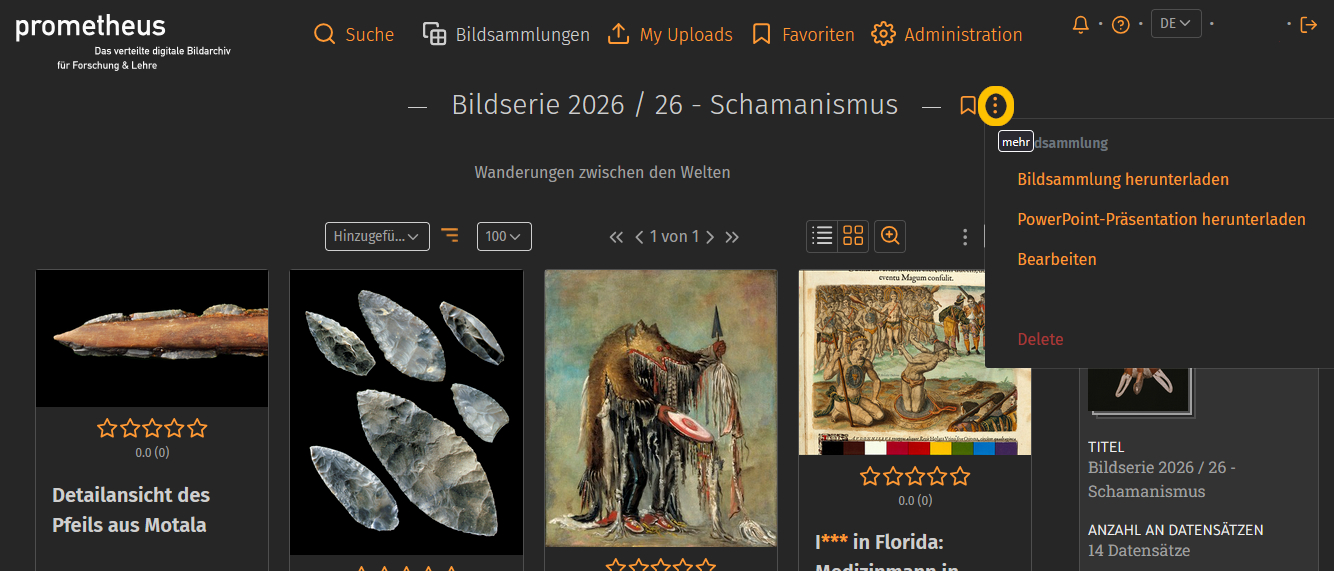
Many of you are currently searching through 137 very diverse image databases for images related to your various interests for a range of projects. Your search results usually include a variety of images that are relevant to your presentations, term papers, or research questions. Anyone with a personal account on prometheus can save these search results internally in image collections. You can also export the image collections to use them externally for research or teaching purposes, either as a ZIP file (Download Image Collection) or as a PowerPoint file (Download PowerPoint Presentation). After extracting the files, you will either receive a folder containing two files (.jpg and .txt) for each individual image, or a presentation with slides for each image along with the corresponding metadata. You can find this export feature directly in the image collection next to the title. Click on the three dots.
Website adjustment to the new design
When we discuss the image archive and explain features such as searching or creating image collections in more detail, we are always referring to the actual application within prometheus: pandora. However, our online offering consists of two parts, and the second part is our website. A few years ago, we decided against using a large content management system (CMS), which would have to execute a large amount of code and make database queries for every page view. A system like that isn’t necessary for our needs, so it wouldn’t be particularly efficient, and it’s also prone to errors and security vulnerabilities. Instead, we generate the website using Jekyll, a software program written in Ruby. Jekyll allows us to create static HTML web pages using simple text files. The content and layout files are read in and define the text and design.
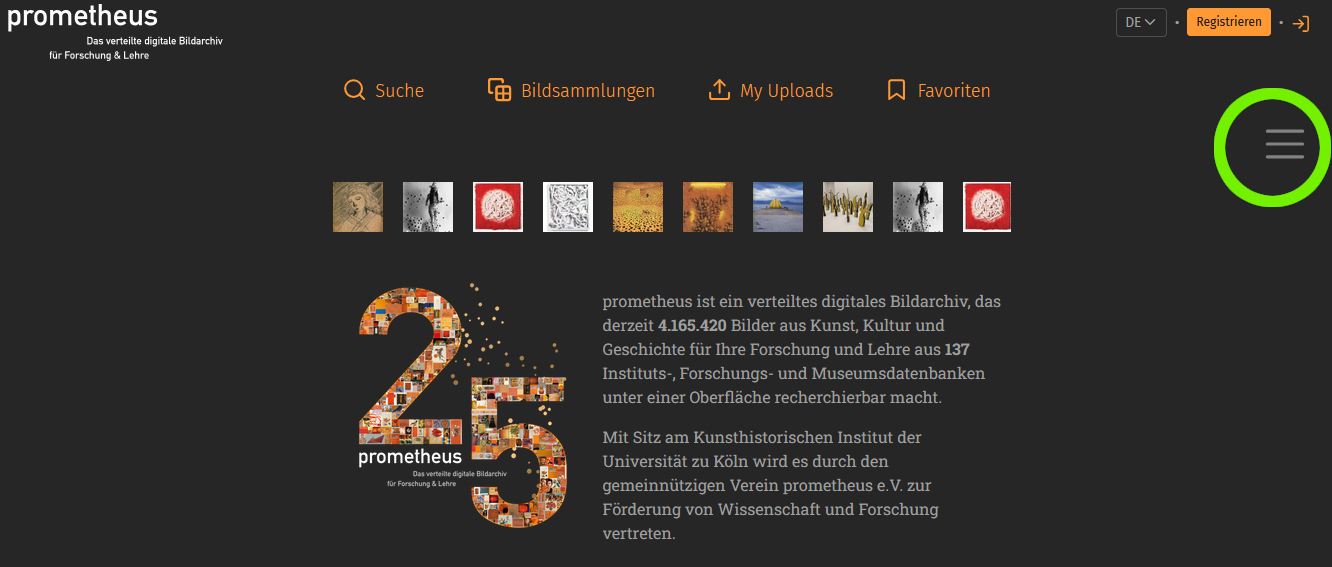
We have now updated these pages to match the new design as well. The navigation menu is now located in the top right corner as a “hamburger menu”, which you can expand and collapse to view all the menu items that were previously available.
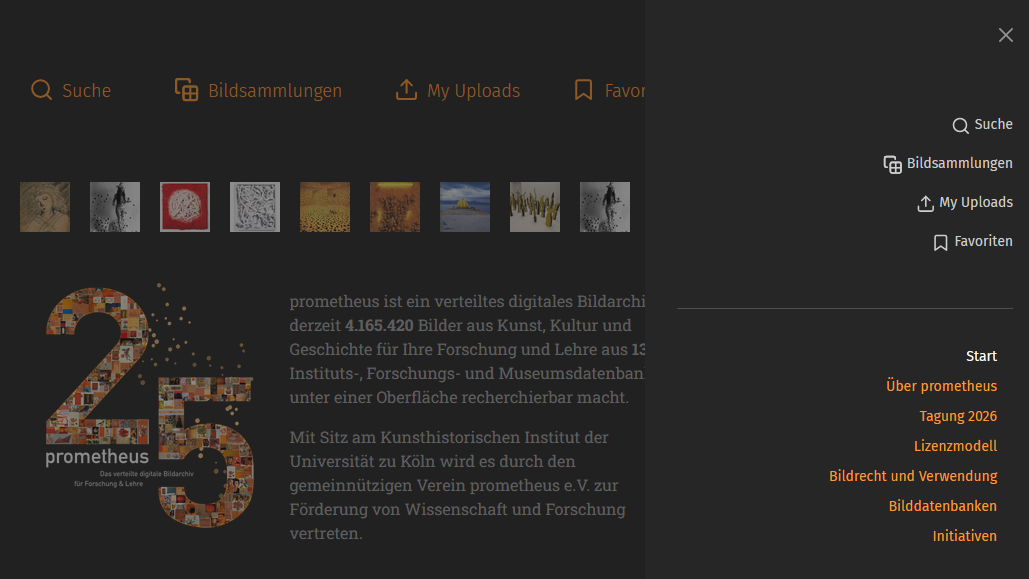
Image database updates
The number of images available for your research in prometheus is constantly growing. This is either because we are able to integrate a new image database or, more commonly, because we are updating the existing databases. During an update, newly added records are indexed, or changes to existing records are incorporated into the index, ensuring that the search engine in prometheus contains accurate and up-to-date data.

A recent example is the Maya Image Archive at the University of Bonn’s Department of Ancient American Studies, a research center affiliated with the North Rhine-Westphalia Academy of Sciences and Arts. As of this week, 19.982 records from the research database are available—records from image collections containing photographs, drawings, notes, and manuscripts that allow users to search through the results of several decades of research expeditions throughout the entire Maya region.

New planned features
We are currently planning the next implementations of new features for the image archive.

- “Autocomplete” for search terms: automatically completing your input in the search field as you type, to save time and simplify usage.
- “Faceted Search” as a filtering method: search results can be specifically combined and narrowed down using predefined attributes (facets).
- display “Search History”

- “Multiple File Upload” in own image databases.

- “Pinboard” for questions from the community, for example: “Can anyone help me? I’m looking for a rear view of the Albertus Magnus statue by the artist Gerhard Marcks, which stands in front of the main building of the University of Cologne."
All features will be implemented—the only question is when: Which of the functions should we implement first? What order would you prefer? Please drop us a quick note with your preferred order, either via email or using the feedback form. We look forward to hearing about your preferences.
Zoom in on thumbnails
To help you avoid having to click on every image in your search results to decide whether it’s suitable, and to allow you to narrow down your options more effectively, a zoom feature is available.
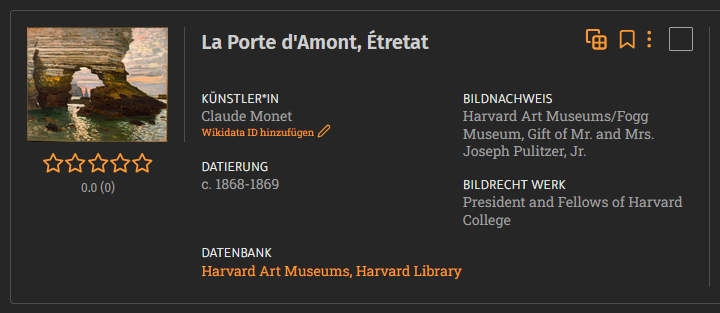
When this feature is turned on, you’ll see a magnified view while you hover your mouse over the image.
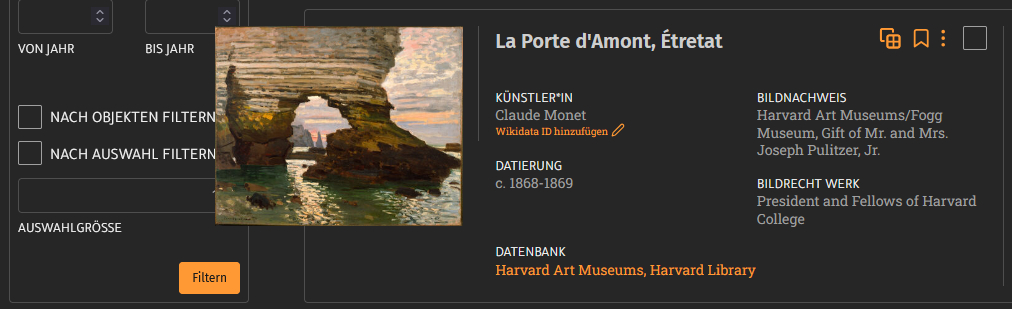
You can turn this feature on or off in the list view of your search results (which displays basic image metadata), in the gallery view with thumbnails, as well as in image collections, your favorites, and your uploads.
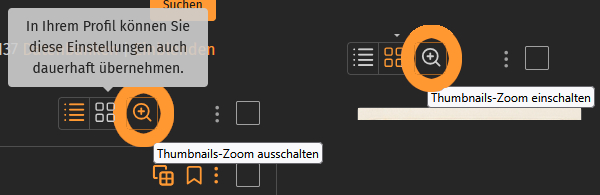
If you prefer to work with or without zoom, you don’t have to turn it on or off for each view; instead, you can set it by checking the box under “zoom thumbnails” in your settings. You also have this option there for image collection entries, uploads, and favorites.
